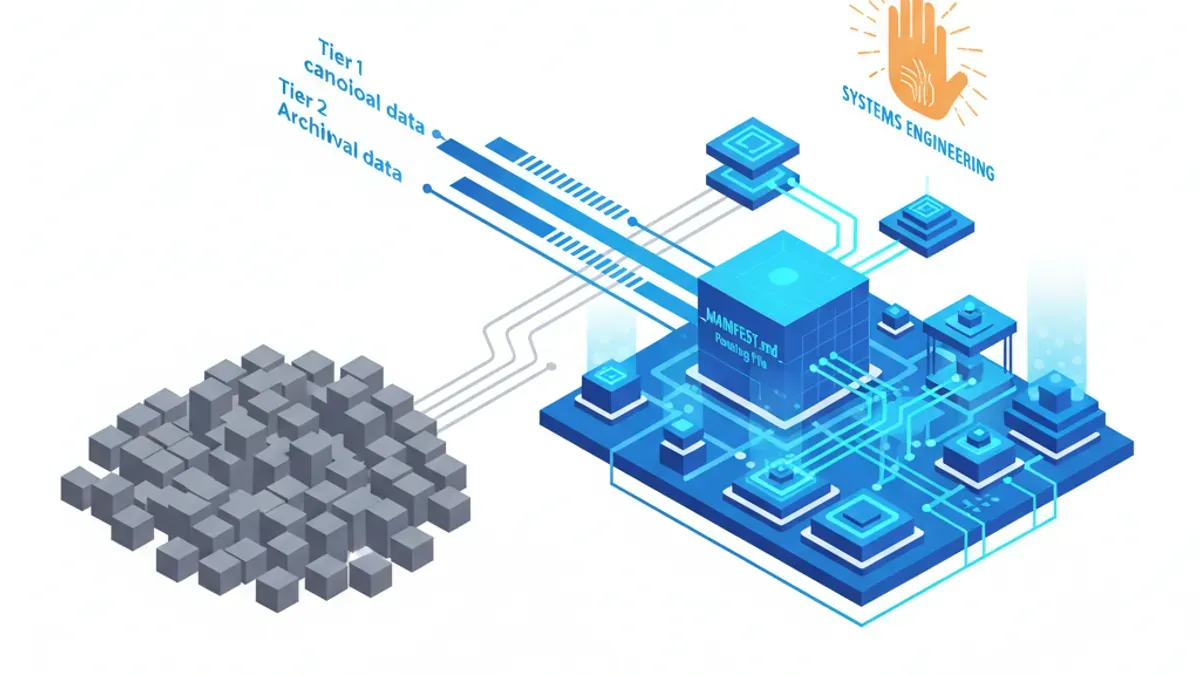
TL;DR: The era of "ChatGPT Prompt Engineering" is dead. If you are spending 10 minutes tweaking a prompt to get a decent output, you are micromanaging an algorithm. In my daily routine as a CEO, I don't use prompts; I use Systems Engineering. The difference between an amateur getting AI hallucinations and a pro getting client-ready deliverables lies entirely in the Setup and Structure. Here is the exact 17-step architectural framework I use to turn an AI from a chatbot into an autonomous colleague.
James here, CEO of Mercury Technology Solutions. Tokyo - March 4, 2026
A founder recently asked me for my "secret prompts" to get Claude/ Gemini or advanced AI agent platforms (like Cowork/ Claude Code) to manage my workflows. I told him the truth: I don't have secret prompts. I have a bulletproof system.
Prompt engineering is a fragile, session-by-session band-aid. It requires you to constantly remind the AI who you are, what the goal is, and how to format the output. It is the equivalent of hiring a brilliant employee and giving them amnesia every morning.
Systems Engineering, on the other hand, is about building a permanent infrastructure. It dictates the AI's operating system, its file access, its boundaries, and its default behaviors before you even type your first request.
When you set up the architecture correctly, even your laziest, three-word prompt will yield a flawless result. Here are the 17 practices that define true AI Systems Engineering, ranked by impact.
Phase 1: The Context Architecture (The Setup)
These first five practices will radically transform your AI experience. Everything else is built on this foundation.
- 1. The _MANIFEST.md Routing File: This is the highest-impact, least-discussed practice in AI. When you point an AI agent at a project folder, it reads everything—including outdated drafts and conflicting pricing models from three months ago. To fix this, place a _MANIFEST.md file in every working directory. This acts as a map for the AI, divided into three strict tiers:
- Tier 1 (Canonical): The absolute Source of Truth. The AI must read this first (e.g., current brand guidelines, active project briefs).
- Tier 2 (Domain): Subject-specific subfolders. The AI only loads these if the task specifically requires them (e.g., /pricing or /competitor-research).
- Tier 3 (Archival): Old drafts and replaced versions. The AI is explicitly instructed to ignore these unless manually requested.
- 2. Global Instructions (Your AI Operating System): Leaving your Global Instructions blank is like buying a Ferrari and never adjusting the mirrors. These instructions load before anything else. Mine look like this: "I am James, CEO of Mercury. Before starting, locate _MANIFEST.md and read Tier 1 files. Always ask clarifying questions before executing. Show a brief plan before taking action. Default format: Markdown. Never use corporate fluff. Quality standard: Client-ready. If confidence is low, say so."
- 3. The Three Persistent Context Files: Create a master folder called "AI Context" and place these three files inside:
- about-me.md: Who you are, your current priorities, and who you serve.
- brand-voice.md: Your exact tone, formatting preferences, banned words, and three paragraphs of your actual writing for reference.
- working-style.md: Collaboration rules, constraints, and SOPs.
- 4. Folder-Specific Instructions: While Global Instructions dictate general behavior, Folder Instructions dictate project reality. When the AI enters a specific client folder, it automatically loads rules regarding that client's terminology, deadlines, and delivery formats.
- 5. Ruthless Context Scoping: A massive context window (like 1 million tokens) is a trap. More documents equal more noise and worse reasoning. Explicitly instruct your AI: "Only load Tier 2 documents if the task explicitly demands it."
Phase 2: Task Design (Defining the End State)
How you frame the task dictates whether the AI delivers a finished product or an expensive rough draft.
- 6. Define the End State, Not the Process: You are delegating to a colleague, not programming a machine.
- Bad Prompt: "Organize these files."
- Good System Request: "Organize all files in this directory into subfolders by Client Name. Use format YYYY-MM-DD-Name. Create a summary log of changes. Move ambiguous files to /needs-review."
- 7. Demand a Plan Before Execution: Because agents can rename or delete local files, always enforce a 30-second review window. Instruct the AI: "Show a brief plan of action. Wait for my approval before executing." This prevents 90% of automated disasters.
- 8. Engineer Uncertainty Protocols: If a receipt is blurry, an AI will naturally guess—and guess wrong. You must build in uncertainty triggers: "If a date is illegible, tag it [VERIFY]. If your classification confidence is below 80%, flag it rather than guessing."
- 9. Batch Related Workflows: Every AI session has a spin-up cost. Don't run five separate prompts. Run one batch: "Process this month's receipts, update the budget spreadsheet, draft the executive summary, and save all to /monthly-reports/march."
- 10. Trigger Subagents for Parallel Processing: If a task has independent parts, tell the AI to parallelize it. Add: "Spin up subagents to process these tasks concurrently." A 40-minute vendor evaluation drops to 10 minutes.
Phase 3: Automation, Skills, and Safety
This is where you move from a "chatbot" to a fully integrated digital workforce.
- 11. Use Native Scheduling: Command the agent to run recurring tasks autonomously. "Every Monday at 7 AM, check my Slack channels and calendar to generate a weekly briefing doc."
- 12. Externalize All Memory to Documents: AI agents have no memory between sessions to prevent context pollution. Therefore, all your Standard Operating Procedures (SOPs) must live in permanent Markdown files that the AI can reference.
- 13. Connect APIs for True Automation: Connect your AI to Gmail, Notion, and Slack, then schedule extractions. "Every morning, extract invoice amounts from Gmail and update the local finance spreadsheet."
- 14. Stack Plugins for Compound Actions: Combine capabilities in one breath. "Analyze Q1 data (using Data Plugin), identify the three weakest deals, and draft customized follow-up emails for each (using Sales Plugin)."
- 15. Build Custom Skills (SOPs): Create Markdown files that teach the AI specific workflows. Structure them clearly: [Skill Name], [Purpose], [Inputs], [Process], [Outputs], [Constraints].
- 16. Meta-Prompting for Tool Creation: You can literally ask the AI to build its own systems. "Help me build a Custom Skill file for my weekly onboarding workflow." It will write its own SOP without you needing to code.
- 17. Treat the AI as a Dangerous Employee: Autonomous agents can modify your local computer. Respect that power. Back up your files before running sorting agents. Isolate highly sensitive financial documents in folders the AI does not have permissions to access. Track your token usage on multi-step agent loops.
Conclusion: The Paradigm Shift
If you zoom out, every item on this list follows one unbreakable rule: Invest heavily in the Setup, so you can minimize the Prompt.
This is the fundamental shift from the "ChatGPT Era" to the "Autonomous Agent Era." Prompts are the least important part of the conversation. Context routing, structural boundaries, uncertainty handling, and custom skills—that is where the actual output quality comes from.
Stop chatting with your AI. Start architecting its environment.
Mercury Technology Solutions: Accelerate Digitality.