5 min remaining
0%
人工智慧與機器學習

代理沙盒:在釋放 AI 程式設計師之前必須安裝的基礎設施

發現釋放 AI 編碼代理之前所需的關鍵基礎設施。了解如何設置沙盒以確保系統安全和效率。

5 min read
Progress tracked
5 分鐘閱讀·
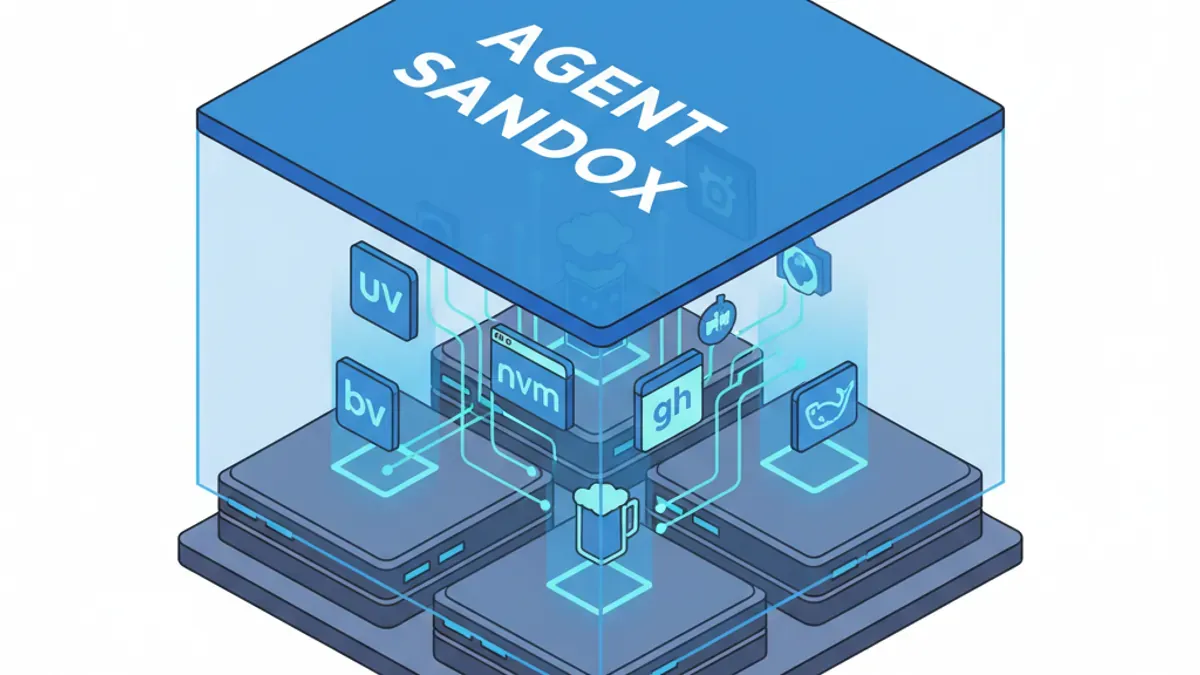
AI Generated Cover for: The Agent Sandbox: The Infrastructure You Must Install Before Unleashing AI Coders

AI Generated Cover for: The Agent Sandbox: The Infrastructure You Must Install Before Unleashing AI Coders

簡而言之:「氛圍編碼」不僅僅是讓 AI 寫文本;它是關於 AI 執行 bash 命令。如果你讓一個自主的編碼代理在你的機器上自由運行,而沒有嚴格定義的基礎設施,它將會破壞你的操作系統,試圖. If you let an autonomous coding agent loose on your machine without a strictly defined infrastructure, it will trash your operating system trying to 安裝依賴項。在您啟動 Claude Code、Gemini 或 Cursor 之前,您必須安裝一組特定的沙盒工具(uvnvmghbrewdocker) 並明確禁止 AI 觸碰您的根目錄。

我是 James,Mercury Technology Solutions 的執行長。 東京 - 2026 年 3 月 5 日

目前在軟體界有一個危險的誤解。人們認為使用 AI 編碼代理僅僅意味著 AI 為他們輸入程式碼。

這是現代代理所做的事情中最不重要的一部分。現代 AI 代理的真正力量在於其執行 bash 指令的能力。在 macOS 或 Linux 上的代理可以導航您的檔案系統、安裝函式庫、部署伺服器,甚至使用 AppleScript 控制您的滑鼠。

但絕對的權力帶來絕對的混亂。我對乾淨、優化的系統非常講究。如果我的作業系統中埋藏著多餘的函式庫和垃圾檔案,我就無法安睡。我曾看過自主代理因強行安裝奇怪的 ffmpeg圖書館因為他們遇到了一個障礙。

為了防止這種情況發生,您必須建立一個「代理沙盒」。以下是您必須安裝的五個基礎工具——不是供您使用,而是供AI使用。

1. 核心基礎設施堆疊

Python: uv

我們之前已經討論過uv,但值得重申。這是AI的終極Python工具。單一命令以驚人的速度處理所有Python環境操作。不要讓您的AI使用舊版的pip或全域環境。uv保持代理的 Python 實驗完全隔離。

Node.js:nvm(或bun

Node.js 的版本控制一直是人類的噩夢,對於 AI 來說同樣令人困惑。如果你的代理使用系統級的npm 或者 npx,你的依賴將變成有毒的污泥。安裝 Node 版本管理器(nvm)並保持你的環境隔離。如果 AI 需要啟動一個 JS 環境,它會使用 nvm use。另外,使用 bun 是保持系統快速且完全乾淨的絕佳方法。

GitHub: gh CLI

透過 MCP(模型上下文協議)伺服器管理 GitHub 儲存庫目前非常流行,但效率極低。預設的 GitHub MCP 載入了數十個工具,迅速消耗掉您代理的約 50 個工具限制。相反地,請安裝原生的 gh CLI。它輕量、穩定,並允許 AI 原生執行複雜的儲存庫管理、拉取請求和問題追蹤,而不浪費您的 MCP 令牌限制。

套件管理:Homebrew (brew)

大多數人認為 brew僅適用於 macOS,但現在對 Linux 也變得必不可少。為什麼?因為brew允許 AI 安裝系統套件而不需要sudo(根)權限。永遠不要給 AI 根權限來訪問你的機器。Homebrew 確保當 AI 不可避免地決定需要一個新套件來解決問題時,它會安全地安裝在沙盒目錄中。

容器化:Docker

許多現代 AI 技能和插件通過直接調用來執行dockerdocker-compose。如果您尚未安裝 Docker,AI 將無法運行工作流程,並且會導致會話崩潰。(注意:在 Linux 上,直接在主機上運行 Docker 可獲得最佳效能,而 macOS/Windows 則需要 Docker Desktop)。

額外提示:gcloud CLI

如果您的基礎設施以任何方式接觸到 Google Cloud Platform,請預先安裝 gcloud CLI。AI 將無縫地利用它進行身份驗證和部署。

2. 建立「代理憲法」

安裝工具只是第一步。第二步是強迫人工智慧使用它們。

您必須在全球代理配置中建立一套嚴格的操作規則(例如,CLAUDE.md.geminirules或您的 Cursor 規則檔案)。把這看作是您工作區的「憲法」。

將這些嚴格的參數添加到您的系統提示中:

  • Python 協議: 「所有 Python 操作必須使用uv。請勿直接使用基本環境或pip。"
  • JavaScript 協定: "所有 JS/TS 操作必須嚴格使用nvm/npm/npx [或bun]。"
  • 作業系統套件協定: "Homebrew (brew) 已安裝。您必須使用 brew 來安裝必要的套件。切勿嘗試使用 aptyum。"
  • 容器協定: "已安裝 Docker。必要時可使用,但切勿嘗試重新安裝或修改核心 Docker 執行環境。"

結論:引擎的軌道

一個自主 AI 程式編寫代理是一個龐大且高效能的引擎。但沒有軌道的引擎只會直接衝破你的客廳牆壁。

透過預先安裝uvnvm, gh, brew, 和 docker, 並設定嚴格的全局指令,你正在鋪設軌道。人工智慧將運行得更快,幻覺更少,並保持你的本地機器一塵不染。

Mercury Technology Solutions:加速數位化。

Frequently Asked Questions

What is an Agent Sandbox and why is it necessary?

An Agent Sandbox is a controlled environment where AI coding agents can operate without risking damage to your operating system. It is necessary to prevent these agents from indiscriminately installing dependencies or modifying critical system files, which can lead to chaos and system instability.

What tools should I install for setting up an Agent Sandbox?

You should install the following foundational tools for your Agent Sandbox: uv for Python, nvm for Node.js version management, gh for GitHub CLI, brew for package management, and Docker for containerization. These tools provide a safe and efficient environment for AI coding agents to function without compromising your system.

How do I ensure that the AI coding agent follows strict operational rules?

To enforce strict operational rules, you must establish a global set of guidelines in your agent configurations. This includes specifying protocols for Python, JavaScript, OS package management, and container usage to dictate how the AI should interact with the installed tools.

What are the risks of not using an Agent Sandbox?

Without an Agent Sandbox, an AI coding agent can execute commands that may unintentionally disrupt your system's environment. This can lead to the installation of unwanted libraries, modification of system files, and overall system instability, ultimately compromising the performance and security of your machine.

Why is it important to limit AI's access to the root directory?

Limiting an AI's access to the root directory is crucial because it prevents the agent from making unrestricted changes to your system. By avoiding root access, you reduce the risk of significant system damage, ensuring that the AI operates safely within the confines of the sandboxed environment.