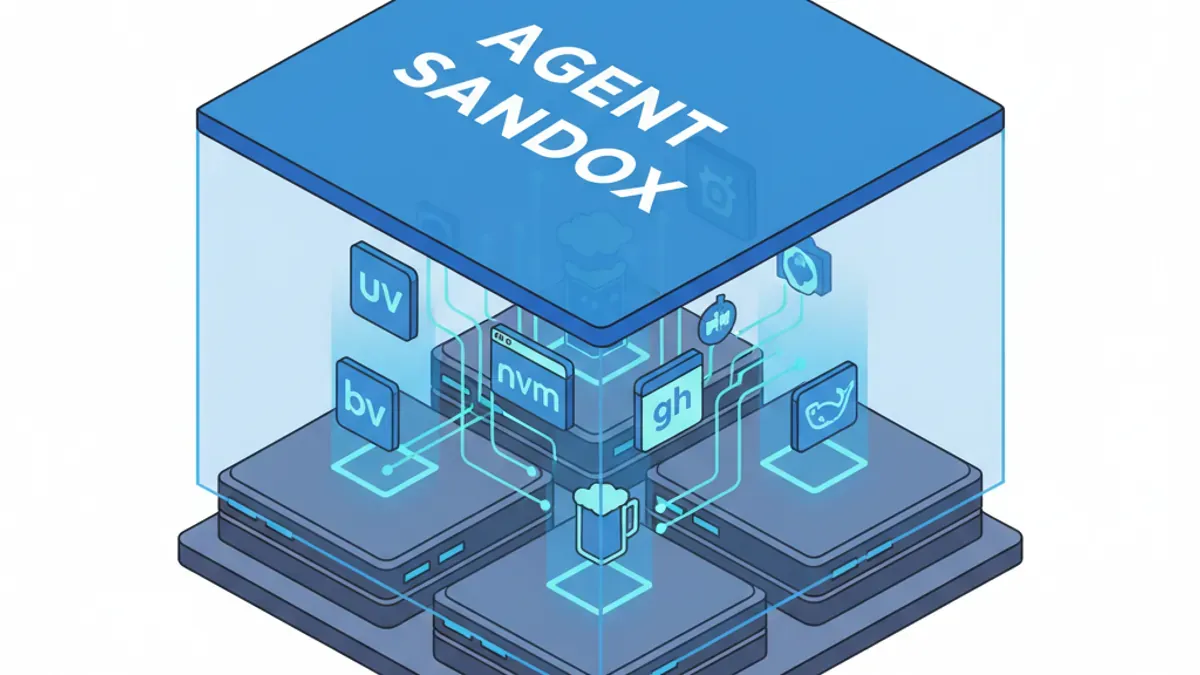
TL;DR: "Vibe Coding" isn't just about an AI writing text; it is about an AI executing bash commands. If you let an autonomous coding agent loose on your machine without a strictly defined infrastructure, it will trash your operating system trying to install dependencies. Before you spin up Claude Code, Gemini, or Cursor, you must install a specific stack of sandboxed tools (uv, nvm, gh, brew, docker) and explicitly forbid the AI from touching your root directory.
James here, CEO of Mercury Technology Solutions. Tokyo - March 5, 2026
There is a dangerous misconception in the software world right now. People think using an AI Coding Agent just means the AI is typing code for them.
That is the least important part of what modern agents do. The true power of a modern AI Agent is its ability to execute bash commands. An agent on macOS or Linux can navigate your file system, install libraries, deploy servers, and even control your mouse using AppleScript.
But with absolute power comes absolute chaos. I am a stickler for clean, optimized systems. If there are stray libraries and junk files buried in my OS, I can't sleep. I have watched autonomous agents completely break a system's local environment by trying to forcefully install a weird ffmpeg library because they hit a roadblock.
To prevent this, you must build an "Agent Sandbox." Here are the five foundational tools you must install—not for you to use, but for the AI to use.
1. The Core Infrastructure Stack
Python: uv
We have discussed uv before, but it bears repeating. It is the ultimate Python tool for AI. A single command handles all Python environment actions with blinding speed. Do not let your AI use legacy pip or global environments. uv keeps the agent's Python experiments strictly isolated.
Node.js: nvm (or bun)
Version control in Node.js has always been a nightmare for humans, and it is equally confusing for AI. If your agent uses system-level npm or npx, your dependencies will turn into toxic sludge. Install Node Version Manager (nvm) and keep your environments compartmentalized. If the AI needs to spin up a JS environment, it uses nvm use. Alternatively, using bun is an excellent way to keep the system fast and perfectly clean.
GitHub: gh CLI
Managing GitHub repositories via an MCP (Model Context Protocol) Server is currently popular, but it is highly inefficient. The default GitHub MCP loads dozens of tools, rapidly eating into your agent's ~50 tool limit. Instead, install the native gh CLI. It is lightweight, stable, and allows the AI to execute complex repository management, pull requests, and issue tracking natively without wasting your MCP token limits.
Package Management: Homebrew (brew)
Most people think brew is just for macOS, but it is now essential for Linux as well. Why? Because brew allows the AI to install system packages without requiring sudo (root) access. Never give an AI root access to your machine. Homebrew ensures that when the AI inevitably decides it needs a new package to solve a problem, it installs it safely in a sandboxed directory.
Containerization: Docker
Many modern AI skills and plugins execute by directly calling docker or docker-compose. If you do not have Docker installed, the AI simply cannot run the workflow, and the session will crash. (Note: On Linux, running Docker directly on the host yields the best performance, while macOS/Windows will require Docker Desktop).
Bonus: gcloud CLI
If your infrastructure touches Google Cloud Platform in any capacity, pre-install the gcloud CLI. The AI will leverage it seamlessly to authenticate and deploy.
2. Establishing the "Agent Constitution"
Installing the tools is only step one. Step two is forcing the AI to use them.
You must establish a strict set of operating rules in your global agent configurations (e.g., CLAUDE.md, .geminirules, or your Cursor Rules file). Think of this as the "Constitution" for your workspace.
Add these strict parameters to your system prompts:
- Python Protocol: "All Python operations must be executed using uv. Never use the base environment or pip directly."
- JavaScript Protocol: "All JS/TS operations must strictly use nvm/npm/npx [or bun]."
- OS Package Protocol: "Homebrew (brew) is installed. You must use brew for necessary packages. Never attempt to use apt or yum."
- Container Protocol: "Docker is installed. Utilize it when necessary, but never attempt to reinstall or modify the core Docker runtime."
Conclusion: Tracks for the Engine
An autonomous AI coding agent is a massive, high-horsepower engine. But an engine without tracks will just drive straight through your living room wall.
By pre-installing uv, nvm, gh, brew, and docker, and setting rigid global instructions, you are laying down the tracks. The AI will run faster, hallucinate less, and keep your local machine immaculately clean.
Mercury Technology Solutions: Accelerate Digitality.